

I Love Orange. Orange Fails Accessibility.
And I'm Devastated About It.
Let me tell you about the color that breaks my heart on a regular basis.
Orange. Warm, energetic, bold, attention-grabbing orange. The color of creamsicles and autumn leaves and that one hoodie you reach for every single fall. Designers love it. Brands love it. Marketers will tell you it creates urgency, drives conversions, signals confidence. There's a reason so many "Buy Now" buttons are orange.
And there's a reason I spend an embarrassing amount of time staring at color contrast checkers, willing orange to pass, and watching it fail.
I use orange in my own branding. I love it. I have strong feelings about specific shades of it. I am not immune to its pull. So when I tell you that orange is the bane of my accessibility existence, please understand I'm not coming at this from a place of detached judgment. I am grieving alongside you.
Why We Love Orange (And Why That Makes Complete Sense)
Orange sits at a fascinating intersection of psychology and design. It reads as energetic without being aggressive, warm without being passive. In color psychology, orange is associated with enthusiasm, creativity, and action. From a purely visual standpoint, it pops! Especially against white or light backgrounds, which is exactly where most digital content lives.
For brands that want to feel approachable but bold, orange checks every box. It's not as corporate as navy (BORING….). Not as intense as red (it’s just not my color). Not as safe as green. Orange says: we're interesting, we're energetic, we're worth paying attention to.
That's exactly why so many brands reach for it. And why so many of their emails land in my inbox looking gorgeous and completely failing the people who need high contrast to actually read them.
Here's the Problem Nobody Warns You About
Color contrast isn't about whether you can read something. It's about whether the full range of people trying to engage with your content can read it, including people with low vision, color blindness, or anyone reading on a bright screen in sunlight.
WCAG (the Web Content Accessibility Guidelines) sets the standard. For normal body text, you need a contrast ratio of at least 4.5:1 against your background. For larger text, it's 3:1. These aren't arbitrary numbers based on research into what makes text legible across a wide range of visual abilities. (Read how color contrast actually works.)
Orange, in most of its popular forms, does not clear that bar against a white or light background. We're not talking about a close call. We're talking about a consistent, predictable, frustrating fail. I can’t tell you how FRUSTRATING IT IS FOR ME!
I've checked. Many times. Many shades. The burnt oranges, the soft peaches, the bright tangerines. Some get closer than others. Most don't make it.
"Just Use It on Black" Is Not the Answer
Here's the advice that gets passed around as a solution: if orange doesn't pass on white, use it on a dark or black background.
And technically? Yes. Orange on black passes contrast.
It also looks like a Halloween decoration. Or a construction sign. Or a hazard warning.
That is not the vibe my brand is going for. And I’m sure that is not the vibe you’re going for. That is not why you chose orange in the first place.
The whole point of orange is how it feels against your other brand colors, your creams, your whites, your soft neutrals, your purples, your light backgrounds. Swapping to black doesn't solve the problem. It just trades one constraint for another, and it usually means your design no longer looks anything like the brand you've built.
So no. "Just use it on black" is not a real solution. It's a workaround that sidesteps the actual issue.
The Sneakier Mistake And the One I Made Myself
Here's where it gets more complicated, and more personal.
A lot of us aren't just using orange on white. We're using orange or orange-adjacent shades, against our other brand colors. A warm peach on a blush pink. A terracotta on a soft lavender. A muted tangerine on a light cream.
And this is where the real trap is. Because these combinations can look beautiful. They can feel cohesive and on-brand and intentional. And they can still fail contrast completely, sometimes by a wider margin than orange on white.
I know this firsthand because I did it myself.
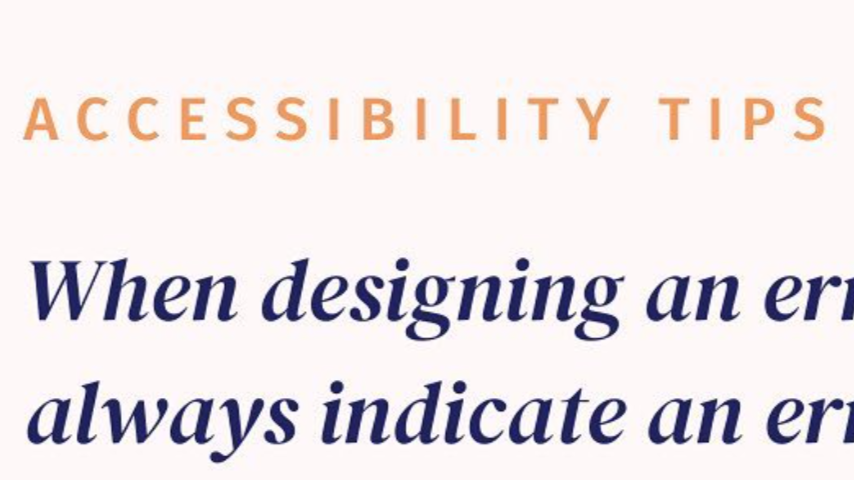
I have a shade I'd describe as a dark peach. I love it. I've used it in my own materials, and I paired it with my light pink thinking it was accessible. Yes I’ve done the accessibility checks. It was just one of the color combinations that I LOVED and felt harmonious.
One day, I decided to recheck all my colors to show examples of how to set up the Color Buddy Chrome extension with colors that actually pass the standards. I was going to use my own palette as a demonstration. And I was literally dumbfounded when I pulled up that light pink and dark peach combination and watched it fail. Not barely, it flat out failed. And I had been using it in my own content while literally teaching accessibility to other business owners.
I'm sharing this not to embarrass myself (okay, a little to embarrass myself) but because I know I'm not alone. If I made this mistake with eight years of accessibility work behind me and a CPACC certification, you can absolutely make it too. And you probably have. Not because you don't care — but because accessible color combinations aren't always visually obvious. Our eyes adjust. We see what we want to see. We trust our brand intuition.
The problem is that our brand intuition was never trained to catch this.
Look at These — Real Emails, Real Brands, Real Fails

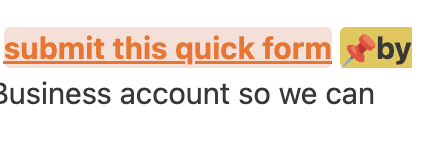
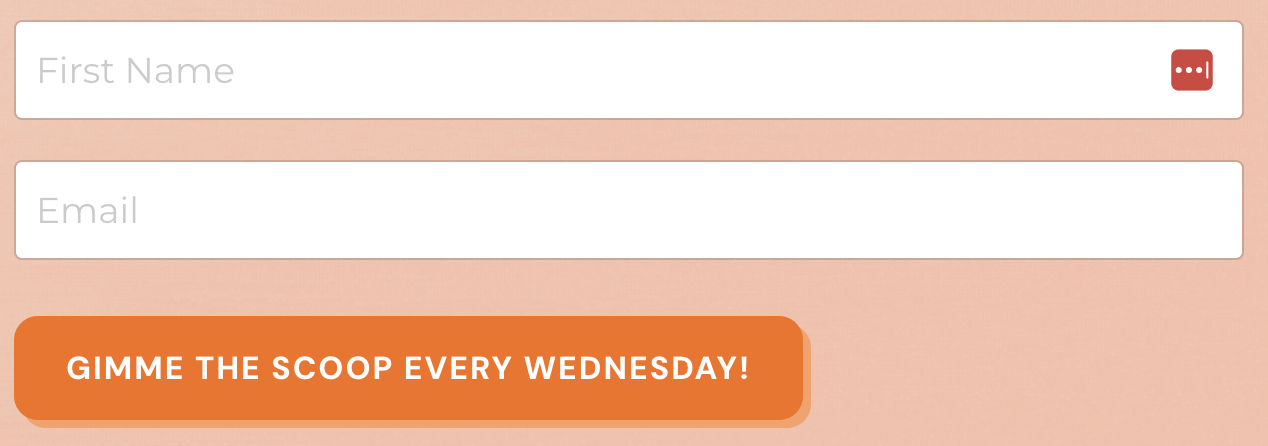
These are real emails from brands that landed in my inbox. The orange is doing exactly what orange is supposed to do! It's drawing the eye, it's communicating energy, and it looked great doing its job.
And every single one of them fails color contrast standards.
I'm not sharing these to call anyone out. I'm sharing them because this is happening everywhere, across industries, from brands that clearly care about design and presentation. Orange is a systematic problem, not a careless one. And most of the people sending these emails have no idea.
Okay, But Here's Where It Gets More Nuanced
I don't want to leave you thinking orange is a full villain with zero redeeming qualities. Because we LOVE YOU ORANGE!
There's one important thing you should know.
WCAG has two contrast thresholds, not one. Normal body text needs a ratio of 4.5:1. But large text, defined as 18pt or larger, or 14pt bold or larger, only needs 3:1. That lower threshold is enough for some shades of orange to actually pass.
Which means orange as a large heading? Sometimes fine. Orange as a bold button with white text? Sometimes fine. Orange as your body copy or a standard-size link? Almost certainly not fine.
Here's what that looks like in practice:

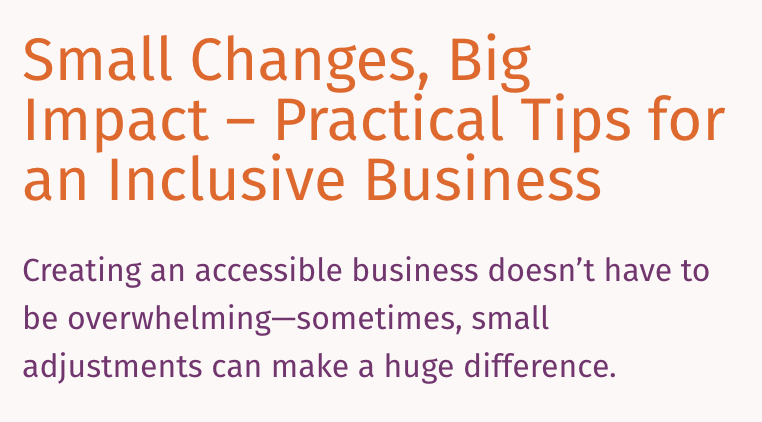
Do you see the difference? The orange that's failing in the earlier examples is doing the same work at a smaller scale — links, body text, small labels. The orange that's passing here is big, bold, or both. Size and weight are doing the heavy lifting.
This is actually useful information for your design decisions. It means you don't have to abandon orange entirely, you just have to be strategic about where it lives. Use it for large display text and bold headlines where it has the best shot at passing. Keep it out of body copy, small captions, and standard-size links where it's almost guaranteed to fail.
So What Do You Actually Do?
Check before you commit. Run your color combinations through a contrast checker before you finalize anything. WebAIM has a free one. Or read my full breakdown of how to use a color contrast checker. It takes about thirty seconds and it will save you from my dark peach situation.
Find your accessible orange. It exists, but it usually lives in the darker, more saturated end of the orange spectrum, and it typically only works on white or very dark backgrounds. Experiment with deep terracottas and rich ambers. They're not the same as your favorite bright orange, but they might surprise you.
Reserve orange for decorative elements. If you can't give up your exact shade, use it for borders, backgrounds, illustration accents, or graphic elements that don't carry essential text. Decorative elements have more flexibility under WCAG because they don't need to be read, they just need to be seen.
Use a tool that catches it for you. This is exactly the kind of thing Successible flags: low color contrast, including those sneaky brand color combinations that look fine until you run the numbers. It works like a spell checker, allowing you to check your work while you work and flagging the issues before they go out into the world. No contrast checker expertise required.
Here's what I want you to take away from this:
Loving orange doesn't make you a bad person. Using orange doesn't make you inaccessible by default. But assuming it's fine without checking? That's the part we can fix.
Progress, not perfection. Every time.
Want to stop guessing whether your brand colors are accessible? Successible checks color contrast automatically, so you don't have to catch it yourself.