Accessibility Is a Marketing Strategy (And Here's What to Actually Do About It)
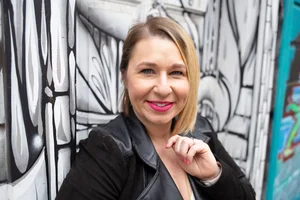
I had the pleasure of sitting down with Michelle Pontvert recently to talk about one of my favorite subjects.
Drum roll…..
Accessibility!
Through a marketing lens. We covered a lot of ground, from your website to your email list to your social media graphics, and I think this conversation is one worth sitting with if you've ever thought "I know I should be doing this, but where do I even start?"
You can watch the full interview here: Watch the video
But if you're more of a reader (hi, same), here's a breakdown of what we covered.
Accessibility isn't just a website thing.
This is probably the biggest mindset shift I try to help people make. When most folks hear "accessibility," they think ramps and captions and maybe an alt text field they've been ignoring.
But the thing is, accessibility touches your hiring process, your events, your podcast, your email marketing, your branding, all of it. The goal isn't to check a box. It's to actually let people in.
Start with color contrast on your website.
If you do nothing else after reading this, please run your brand colors through a color contrast checker (Read more about color contrast here). I know this one personally. I use orange in my own branding, and when I run it through a checker, it doesn't pass. That means I have to be really intentional about when and how I use it. You cannot rely on your own eyes to judge this. What looks readable to you might be completely inaccessible to someone with low vision or a color processing difference. Running your colors through a checker could improve your website accessibility by around 25% on its own.
Alt text matters more than you think, and it's not just for screen readers.
Alt text shows up when images don't load. It helps people on slow internet connections. It helps screen readers. It helps search engines. There is genuinely no downside to writing it, and yet so many of us skip it. This applies to your website, yes, but also your emails and your social media posts wherever the platform allows it.
In email, readability is accessibility.
Designing your entire email as one big image with no text and no alt text is a problem. But even beyond that, long unbroken paragraphs, no white space, tiny fonts all create barriers. People are reading on their phones, some are listening with text-to-speech, some are skimming to decide if it's worth their time. Short paragraphs, breathing room, and a clear visual hierarchy aren't just nice design choices. They're how you make sure people can actually consume what you created.
If you put text in a graphic, put it in the caption too.
This is one I feel strongly about. If you design a social media graphic with words on it, those words need to appear in the caption as well. People are designing on big screens and the text ends up way too small on a phone. And if someone's using a screen reader, the image text doesn't exist to them at all. The caption is your accessibility net. Use it.
Transcripts for your podcast aren't optional. They're an opportunity.
I personally cannot consume podcasts. I read faster than I can listen, and I'd rather skim a transcript and decide if I want to go deeper. When transcripts are buried or nonexistent, I just move on. You're losing people like me every single time. And if you're relying solely on auto-transcription, know that it typically doesn't distinguish between speakers. It's just a wall of text. Take the time to edit it, label the speakers by name, and make it easy to find.
Captions on video need a human pass.
Auto-captions are a starting point, not a finish line. At minimum, skim through and make sure names are spelled correctly and nothing embarrassing slipped through. I always edit and include my own captions when I'm a guest at a summit, because I know my name is going to come out wrong otherwise. It takes a little time and it's worth it.
All of this is also just good marketing.
Repurposing content into multiple formats (a video becomes a blog post, a podcast becomes a transcript, a graphic becomes a captioned post) isn't just an accessibility practice. It's good SEO. It's meeting people where they are. It's giving your content more chances to be found and consumed. Accessibility and smart marketing strategy are not at odds. They're the same thing.
And the tool I built to make this easier.
I created Successible because I needed it myself. As a business owner wearing ten different hats, I couldn't keep all the accessibility rules in my head, and this is literally my area of expertise. Successible is a Chrome extension that works like a spell checker, but for accessibility. It checks for missing alt text, color contrast issues, skipped heading levels, and missing video captions, right where you're already working, across platforms like Flodesk, Squarespace, ThriveCart, and more. No coding knowledge needed. Plain language explanations. Just a nudge in the right direction when something needs attention.
And as always, progress, not perfection. You're not going to get everything right immediately, and that's okay. Neither did I. Just keep going.